Reading as Hiking

I read nonfiction almost exclusively. If you look at my reading list right now you'll see a history of Google, a history of New Zealand, and a history of Western religious thought. And I've been thinking about my one-track approach to reading lately, and started viewing it like hiking. Reading nonfiction is like walking along a flat, wide sidewalk. Each sentence is a cement square that lines up perfectly with the one before—leading me comfortably down a path. There's nothing wrong with this, I can walk for miles on sidewalks and get where I want to go.

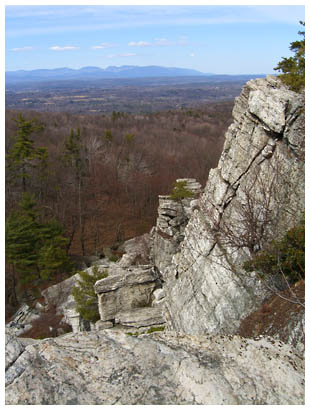
A couple nights ago I sat down with a small book of surrealist poetry and had a completely different experience. I could feel muscles in my brain working that hadn't been used for a long time. Instead of walking along my comfortable sidewalk I was suddenly trekking through the backwoods. The path was twisted, rough, and filled with gaps I had to navigate. Sometimes the path was barely visible, but the extra work of joining jarring associations was fun. This space for interpretation is one of the reasons I like to read Zen koans. Surreal poetry and koans have a certain spark I haven't found in other writing and I think it's because the path through the text to meaning isn't clearly marked.

So this post is a reminder to myself that I should vary my literary treks. I'm not going to find soluble fish in a history of Google, and I need to remember that words can be magical as well as useful.

Pride and Prejudice Movie

Yesterday I secured a copy of True Crime: New York City for the xbox and was just getting settled in a for an evening of shooting and car crashes in the back alleys of New York when sk asked if I wanted to go to the new Pride and Prejudice film. I started weighing 1800's England dialog and manners vs. modern New York explosions and gunfire. I knew this film was going to be the ultimate chick flick, probably like watching an entire marathon of Hugh Grant movies. I couldn't think of anything more tedious, and there was virtual killin' to be done. Some intense negotiations followed, and long story short I found myself in line at the theater behind hordes of "girls night out" crowds fighting for tickets.

The theater was packed, and I have to reluctantly admit that the film was entertaining. I haven't read Pride and Prejudice—or any Jane Austen—but it's one of sk's favorite books. I didn't know the characters or the story, but Pride and Prejudice is so archetypal that it was all very familiar. I'm not a big fan of period films, but this one had a grit of reality to the settings and costumes that was fun to watch. (It was no Barry Lyndon, but seemed a bit better than those films where everything is shiny & new.) It was also interesting watching the way class distinctions were portrayed in the film, and seemed a bit more authentic than similar films. But the ending had a very Sixteen Candles sort of feel, and sk assured me this was a Hollywood invention and not part of the novel. So I enjoyed the film even though I was dragged to it, and now I'll have a better sense of what it means when sk drops "Mr. Darcy" and other Pride and Prejudice references into casual conversation. Now if I can just get sk to go on a few missions in True Crime, we'll really be sharing.

Evolution of an Amazon Detail Page

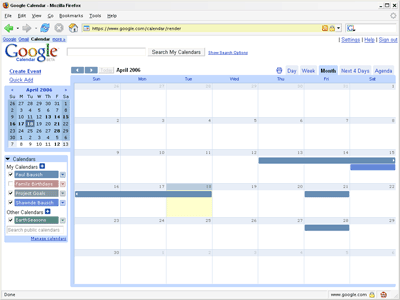
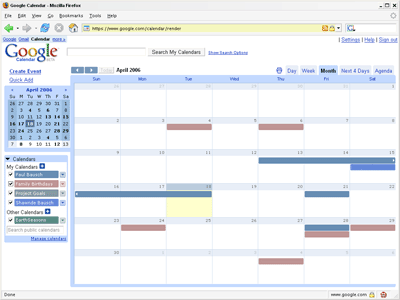
As you probably know, I put together a book called Amazon Hacks a couple years ago, and there are a couple of other books I've worked on, so I have a few reasons to watch Amazon very closely. One way that I watch Amazon is by subscribing to an Amazon RSS feed that lets me know when new books in the Hacks Series are available. On August 9th I noticed that another Hacks book I put together—Yahoo! Hacks—was available for pre-order and I posted about it. At the same time, I set up a script to take a screenshot of the Amazon detail page for Yahoo! Hacks every day at 4:10pm. I wanted to watch the page evolve, and have a record of how the page looked at various stages of development. I often think of Amazon detail pages as static, but they change quite a bit over time. Because there's no way to go back in time for individual books (unless you can go wayback on a title), there's no record of this change.

So with that in mind, here's a rough timeline of the evolution of the Yahoo! Hacks detail page I found by watching the screenshots.

August 9th [view]
  • Page added
  • Price is at list price of $24.95
August 16th [view]
  • The Editorial Review gets better formatting
  • Page count jumps from 352 to 452
August 23rd [view]
  • Cover image added
  • First Sales Rank ranking
August 31st [view]
  • Related Listmania! and Guides added
September 6th [view]
  • Amazon drops price to $16.47 (standard Amazon discount)
  • Page count at 488 pages
September 10th [view]
  • Editorial review has even better formatting with bullets
September 28th [view]
  • Page count at 489 pages
October 19th [view]
  • Buy button changed from "Pre-order" to "Add to Shopping Cart" (I posted about it)
October 24th [view]
  • Product dimensions added
October 30th [view] November 23rd [view]
  • First customer review is added (it's good! shew.)
So yeah, probably of no interest to anyone but me. But I thought I'd share what I found. By the way, Flickr Hacks is available for pre-order at Amazon now. You too can watch that page evolve.

Public Speaking

I'm not sure how I got suckered into public speaking the first time. I know I spoke about Amazon Hacks at the Emerging Technology Conference in 2003 (my post about speaking), I spoke on two panels at South by Southwest in March 2004 (my pre-trip post), and I was on a panel about weblogs (my announcement) in May of 2004. Those initial forays into the world of public speaking were all very painful, but they were great lessons. The old cliche is that most people are more afraid of public speaking than dying, and I wouldn't go that far. But public speaking is a close second for me.

I've read many books in the past few years trying to overcome my fear of public speaking. Most of the books have been embarrassingly bad—I'm looking at you Dale Carnegie. But I thought I'd share one book that was useful. Act Natural by Ken Howard helped me view public speaking as telling personal stories rather than relating information. It's a subtle shift in thinking, but it's helped me organize my thoughts into something I can share.

In addition to the public speaking side of things, I've read quite a few marketingspeak-laden books about putting together PowerPoint presentations. The $7 I invested in Edward Tufte's The Cognitive Style of Powerpoint has payed off more than all of the marketing books combined because it completely destroyed everything I knew about PowerPoint. Then I picked up Beyond Bullet Points by Cliff Atkinson and sort of re-built a PowerPoint grammar that I feel works better than reading slides. Like Howard, Atkinson stresses telling stories over relating information, and using PowerPoint as a visual backup rather than an information delivery device.

Oh, and watching great speakers has been helpful to me. Whenever I see a great presentation at a conference, I try to note what I liked about it. I saw Jeff Veen speak at Webvisions 2003 and he's a natural on stage. Definitely check out his Seven Steps to Better Presentations—I refer to these quite a bit whenever I'm going to speak.

I've been asked to speak a few times this year, and I see more public speaking in my future. I don't do it very often, but I am going to be speaking at a one day conference called Online Northwest here in Corvallis in February. I always ask myself how I get suckered into public speaking as the date approaches, but once a talk is over I find that I enjoyed putting the talk together and that I learned a little bit more about speaking for the next time.

Join the EFF

Support Bloggers' Rights!

There's a blogger fund drive going on for the EFF right now, and it was a good excuse for me to re-join. They have some great legal guides for Bloggers at the bottom of the EFF Bloggers page. And they're continually working on important legal issues for the Web. If you can't donate right now, tune into their EFFector Newsletter to get a sense of what they're working on. I've been on the list for years, and it's a great way to stay on top of news related to freedom and privacy online.

My Public Week

Had a busy week—talked with Lisa Ede's Language, Technology, and Culture class yesterday about technology and the Web in general. I'm used to talking with fellow Web geeks so I was nervous about talking with English students. But I think I worried for no reason. There were a bunch of great questions after my presentation, and I heard some of their seminar paper topics—they're working on some very challenging topics related to technology.

Today Jennifer Winters from KVAL in Eugene stopped by to talk about weblogs. She's putting together a two-part story about blogs that will air sometime next week. We talked a little about the history of Blogger, and quite a bit about ORblogs. I know she also talked with Lisa Ede and some of the students in her class. I'm looking forward to seeing the story they put together.

And now I can go back to being a hermit for a while.

Good night and good luck

Don't take a recovering smoker to Good Night, and Good Luck. A current smoker won't last five minutes without ducking out for a smoke break. There was at least one cigarette burning on screen in every scene, and often multiple cigarettes. I find it hard to believe that television control rooms didn't have a smoking ban because of the electronics, but I guess that's the way it was (so to speak). I'd seen clips of the McCarthy hearings and the Edward Murrow broadcasts, but it was good to see a more complete picture of the Murrow shows. And of course the movie has a lot of food for thought about the media and politics today. But the smoking was out of control. Maybe cigarettes should be nominated for an academy award for supporting actor in this movie. It was great to exit the theater and take a deep breath of the cold, rainy air.

Minimizing Scheduled Scripts

For most of my day I'm sitting at a Windows XP Pro machine. That's where I work in Word, Photoshop, Homesite, Notepad, and other programs I use to get stuff done. And I'm a big fan of the Windows Task Scheduler. Well, more accurately I'm a big fan of setting little scripts to run at certain intervals. I have about a half dozen of them on my home computer right now.

One script grabs the current Amazon sales rank for a specific book and saves it in a CSV file. Another script grabs a mutual fund price from Yahoo! Finance and emails it to me. Another is simply a reminder script that sends me an email every Sunday afternoon saying, "Don't forget to send out ORblogs Weekly." All of the scripts are written in Perl.

So far so good. I'm automated. I'm informed. I'm being reminded of important things. But every time one of these little scripts runs, this pops up on my screen:

command prompt

A blank command prompt. Argh. I'm writing away in Word, or writing an email, or posting to my blog and all of a sudden this black box pops up for three seconds while the script runs and then vanishes. There's no "run minimized" option in Windows Task Scheduler. (why not?) And there's no "run minimized" switch for Perl. (why not?) So today as the fifth black box made its appearance I lost it and decided to find a way to run these scripts minimized.

Here's the solution in case you're among the automated yet annoyed like I was. Run the tasks as a different user. Here's how. Create a new user in Windows XP through Computer Management (Start > Setttings > Control Panel > Administrative Tools > Computer Management > Local Users and Groups). Open the Users folder and Right-click in the right pane to create a new user, and call the new user tasky or something like that. You'll probably need to add the new user to the administrative group depending on the type of scripts you run. You'll also need to set tasky's password, and uncheck the "User must change password at next logon" box. Click OK and tasky is born. Now go to the Task Scheduler and edit each of your tasks to run as [COMPUTER NAME]\tasky. Also be sure to uncheck the "Run only if logged on" box because tasky won't actually be logging into your machine anytime soon.

Now the helper scripts on my machine are running silently in the background—firing off email and assembling files—and I never have to know about it. (I know you lucky cron people are probably laughing, but hey I'm not switching to Linux just for a better scheduler.)

Another Yahoo! Hacker

Yahoo! Hacks

Another copy of Yahoo! Hacks has been spotted in the wild. This copy belongs to Premshree Pillai. He works at Yahoo! and contributed two Yahoo! Search API hacks to the book. One hack shows how to use the API with Ruby, and the other is a nifty little REBOL app for finding images with Yahoo! Image Search.

Vodka drinks you!

Yakov Smirnoff-inspired lines via Google: In Communist Russia * You. Read the bold phrases. In Communist Russia, Google searches you!

Update: Even more matches with: In Soviet Russia * You.

Power of defaults

Interesting article in the Economist this week about Google, Yahoo!, and MSN's interest in AOL: The battle of the portals. This last bit was surprising:
Ultimately, it all comes down to the three suitors' estimates of what Mr Varian calls "the power of the default". Default users are "the great unwashed", says Mr Varian. They are the ones who, for instance, use MSN because it comes pre-installed in Internet Explorer, the web browser that itself comes pre-installed on new computers...Default users are less demanding, older but nonetheless rich enough to target with small hyperlinked text advertisements. For the dealmakers, it all comes down to figuring out how much these naifs, collectively, are worth.
I think the power of the default is diminishing, but I have no proof to back it up. Firefox, blogging, flickring, and even the rise of Google all indicate people are willing to go beyond what's placed directly in front of them. The teenagers and geeks the article mentions who change defaults don't account for the millions who are changing browsers and publishing online. I'm sure defaults are still an important force, but I think their value is waning.

How can I cash out?

Re: AOL buying Weblogs, Inc.


My blog is worth $71,696.58.
How much is your blog worth?


Even though my blog isn't worth millions, its sentimental value is through the roof. I'm going to keep it.
« Older posts  /  Newer posts »